Time Entry Reports
Run the Time Entries, Time Entry Summary, Missing Time, Time and Expense Entries, Task Summary, and Task Codes reports, with sample PDF and CSV output.
The Professional label may be displayed as Associate, Consultant, Employee, Fee Earner, Professional, Resource, Staff Member, and Timekeeper depending on your TimeSolv Configuration in Account>Settings>General. This can change path and report terminology.
The Client label may be displayed as Client, Customer, or Respondent depending on your TimeSolv Configuration in Clients>Settings>General. This can change path and report terminology.
The Matter label may be displayed as Case, Engagement, Job, Matter, or Project depending on your TimeSolv Configuration in Clients>Settings>General. This can change path and report terminology.
Category and Sub Category may display differently depending on the labels specified under Clients>Settings>Categories.
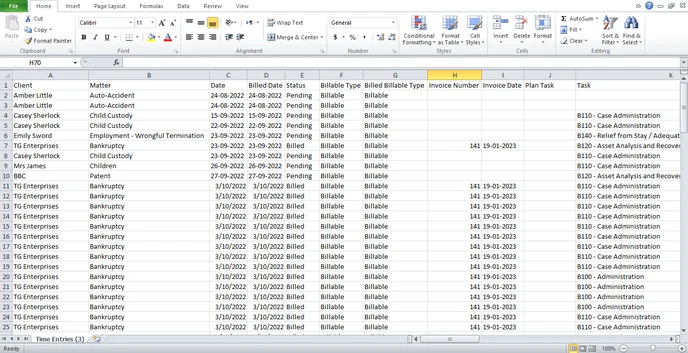
TimeSolv Reports are easy and intuitive to the users and can be viewed in 10 formats, including PDF, Excel, Word, and more. The CSV versions of the reports provide a more detailed perspective by listing other parameters as additional columns, which can then be used for a drilled-down analysis of the information.
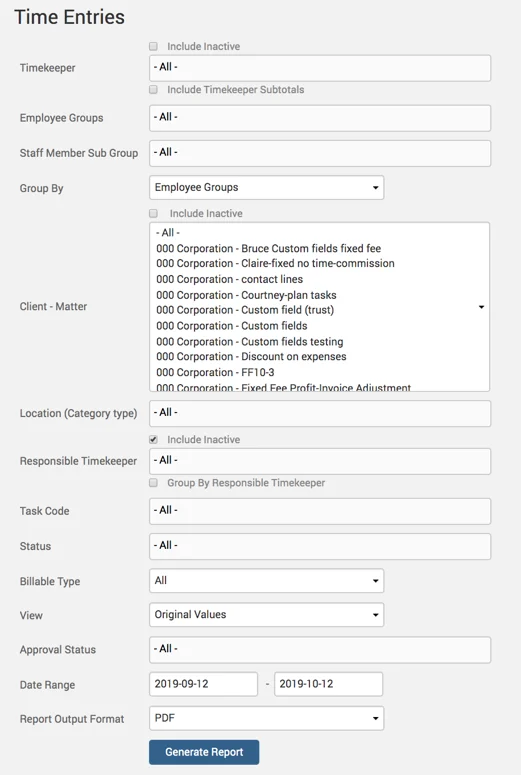
To access Reports in this section, click on the Reports tab on the main menu. Then click on the relevant report link under Time and Expense section.
Time Entries Report
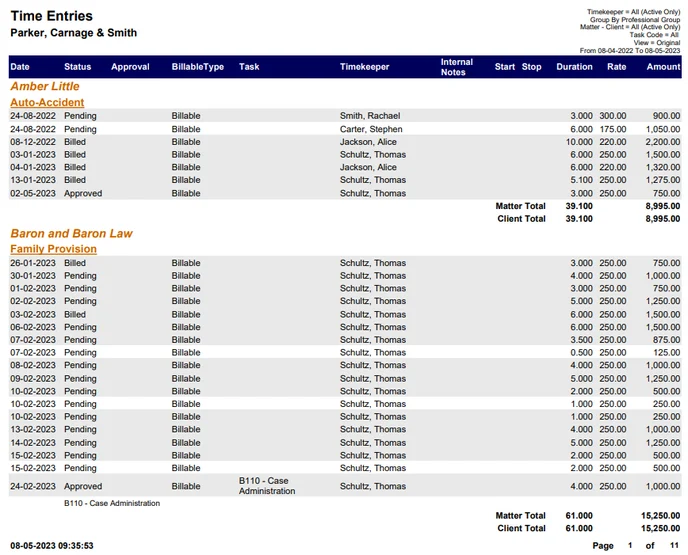
List of time entries grouped by Client and Matter
Example Time Entries report with default parameters set:
A portion of the same report in CSV format:
Time Entry Summary Report
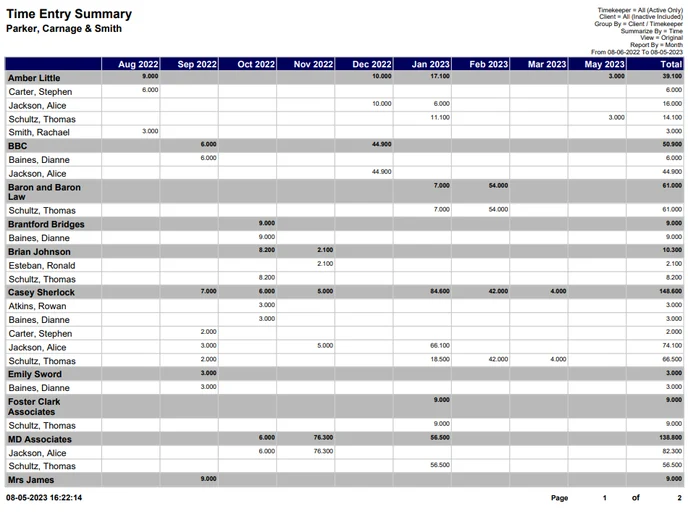
Weekly and monthly totals of time entries grouped by a combination of Clients, Matters, and Timekeepers.
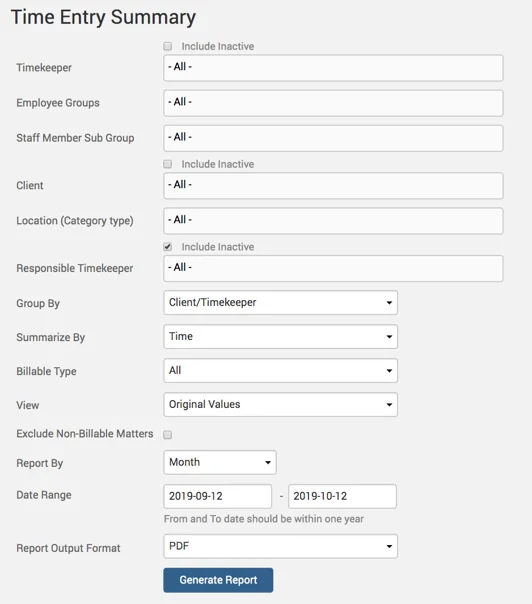
Example Time Entry Summary report with ‘ Billed Values‘.
Missing Time Report
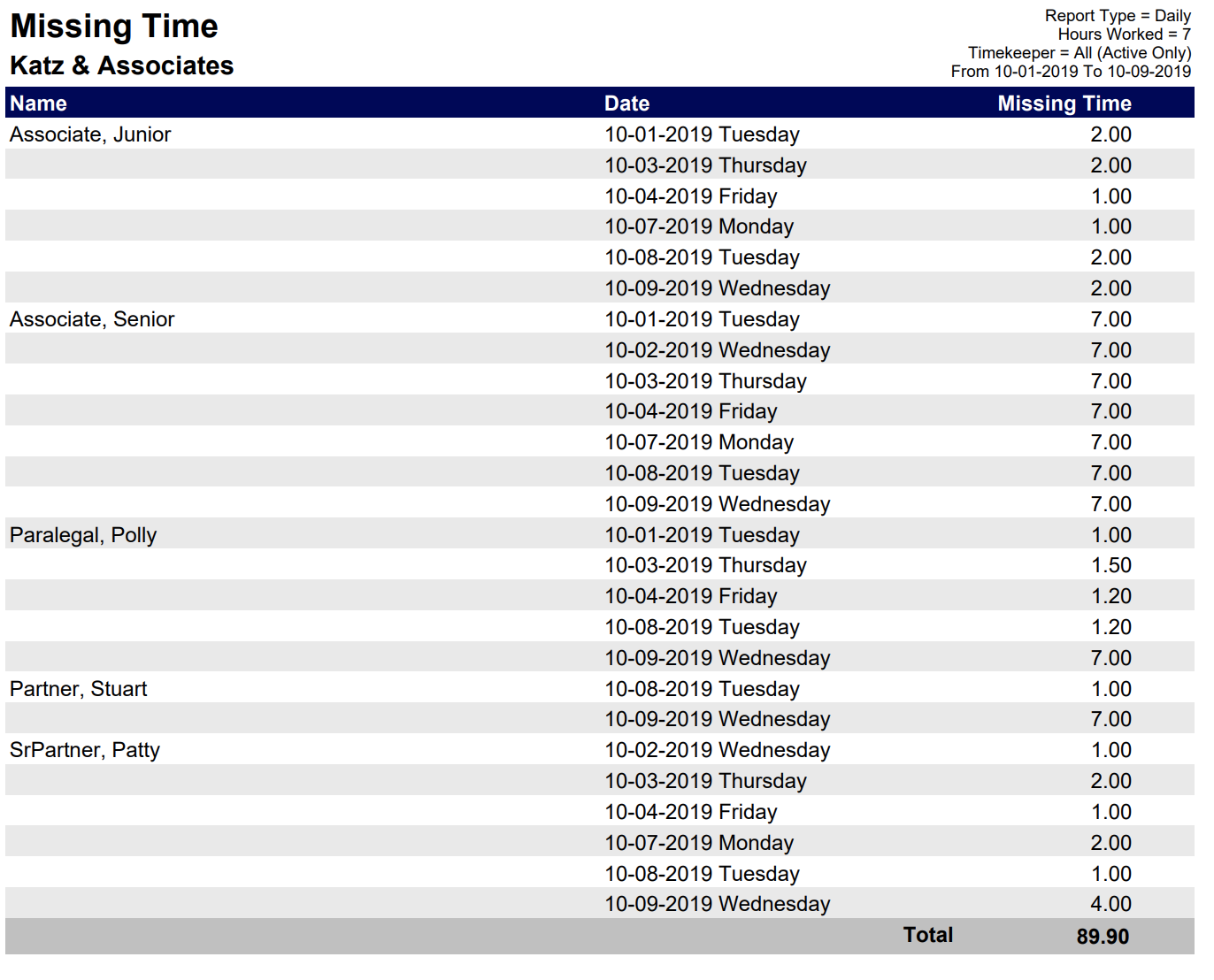
Hours missed by a timekeeper per day or per week.
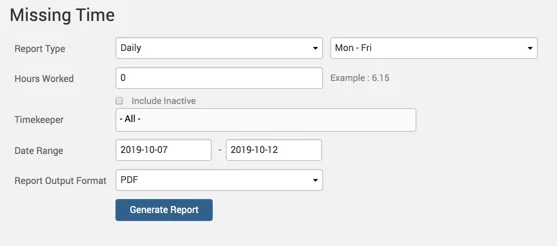
Example Missing Time report with default parameters:
Time and Expense Entries Report
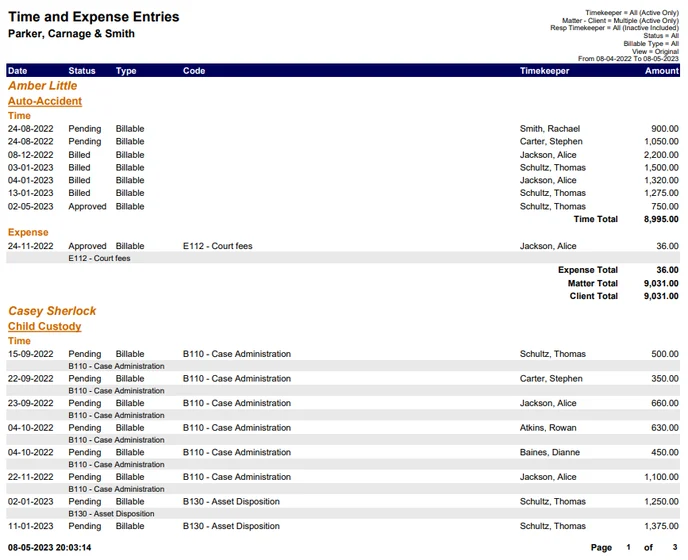
List of time and expense entries grouped by client and matter.
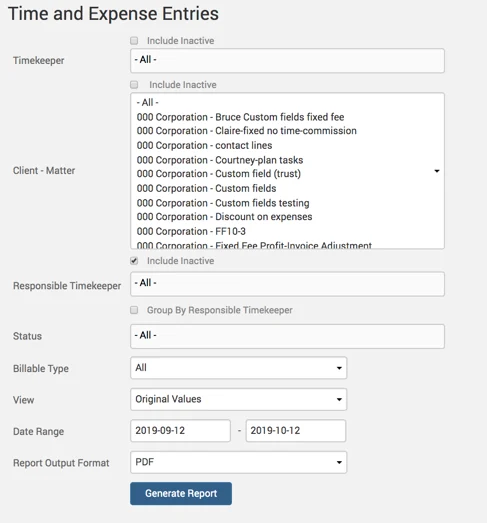
Example Time and Expense Entries report with default parameters:
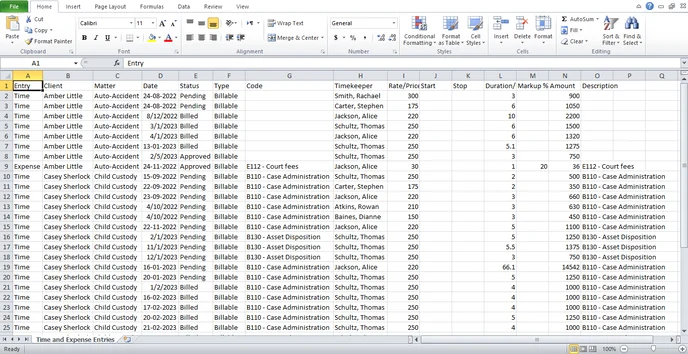
Example Time and Expense Entries report in CSV format:
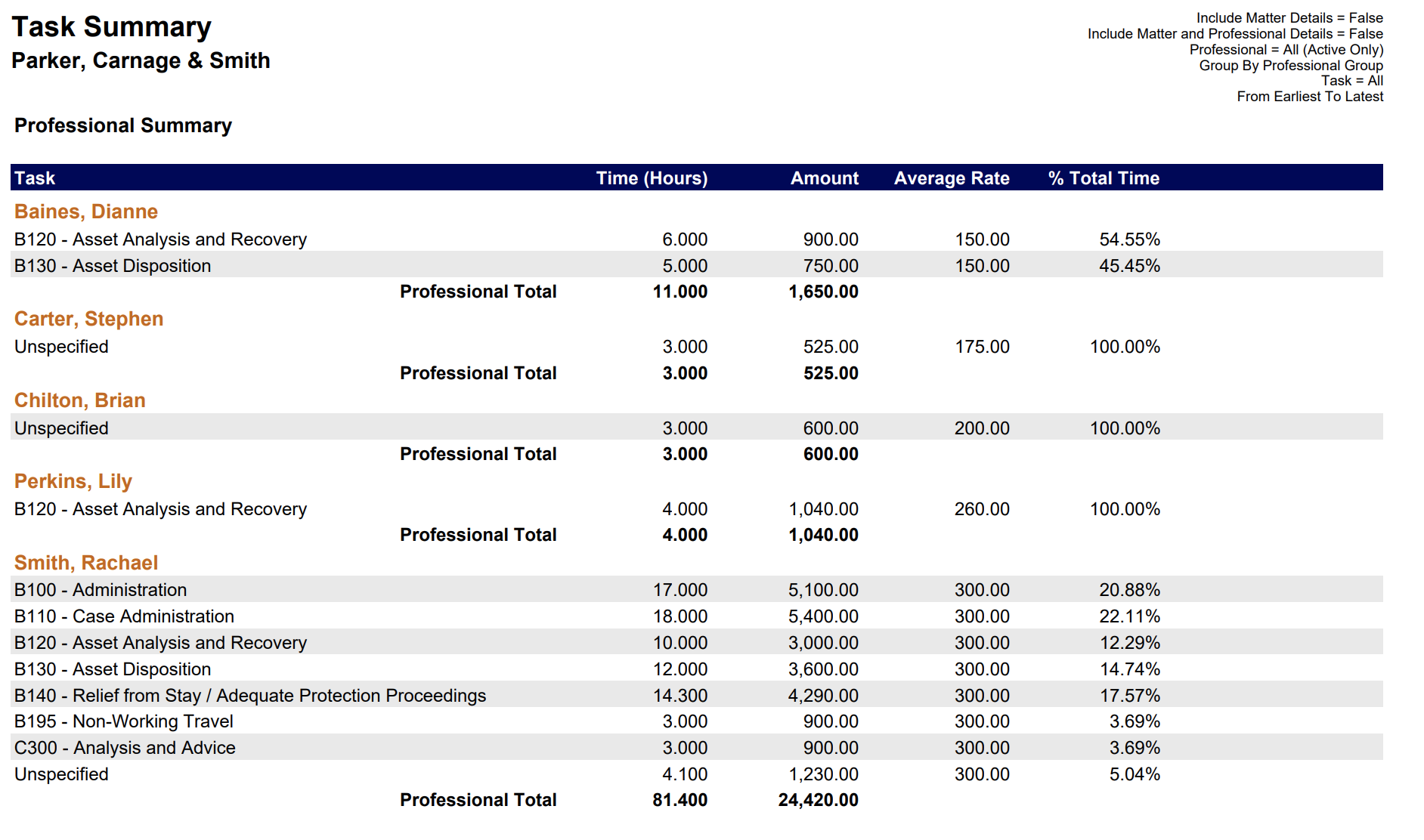
Task Summary Report
A sum of time entries grouped by professional and task
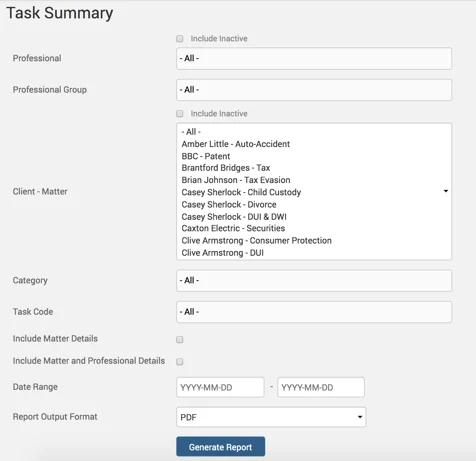
Example Task Summary report with default parameters:
Task Codes Report
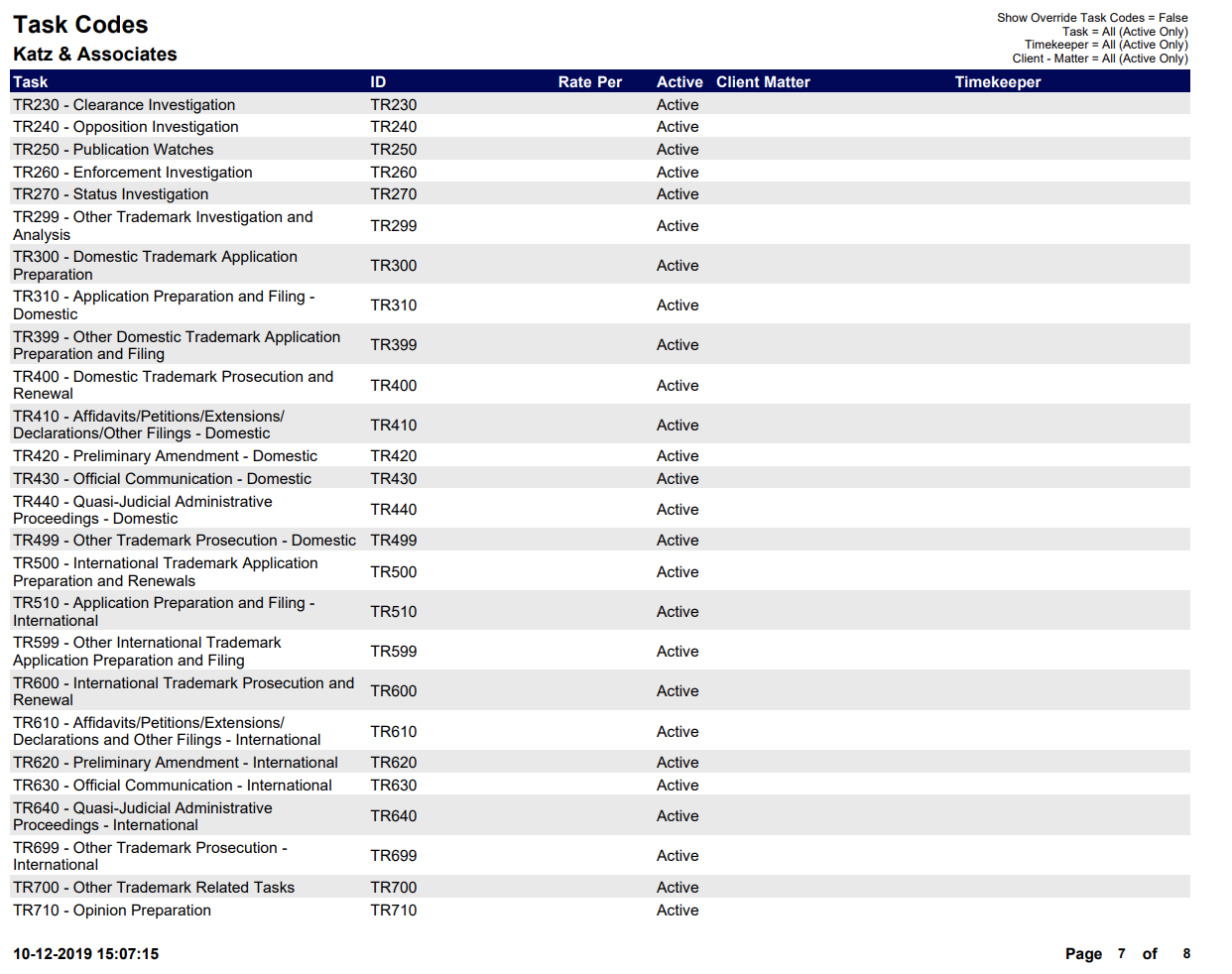
A list of categories for time entries. The Task Codes report can be accessed from “Managing the Firm” section.
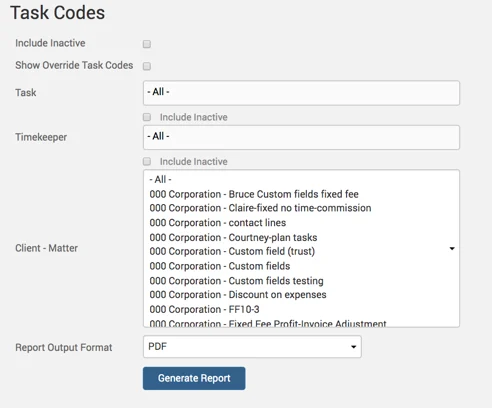
Example Task Codes report with default parameters: