Performance Reports
Run Firm Performance, Fees Budget, Client Ranking, Professional Profitability, and Revenue and Commissions reports, with admin-only commission figures.
The Client label may be displayed as Client, Customer, or Respondent depending on your TimeSolv Configuration in Clients>Settings>General. This can change path and report terminology.
The Professional label may be displayed as Associate, Consultant, Employee, Fee Earner, Professional, Resource, Staff Member, and Timekeeper depending on your TimeSolv Configuration in Account>Settings>General. This can change path and report terminology.
The Expense label may be displayed as Cost, Disbursement, or Expense depending on your TimeSolv Configuration in Expense>Settings>General. This can change path and report terminology.
Category and Sub Category may display differently depending on the labels specified under Clients>Settings>Categories.
The Professional label may be displayed as Associate, Consultant, Employee, Fee Earner, Professional, Resource, Staff Member, and Timekeeper depending on your TimeSolv Configuration in Account>Settings>General. This can change path and report terminology.
Firm Performance Report
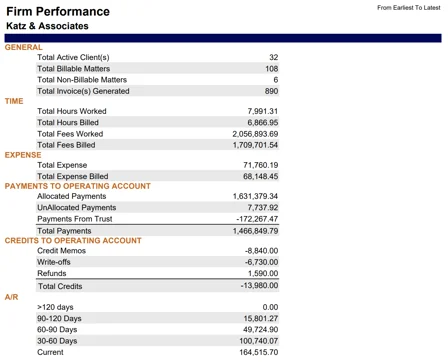
The report shows the performance of the firm over a period of time.
Example of Firm Performance report with default parameters selected:
Fees Budget Report
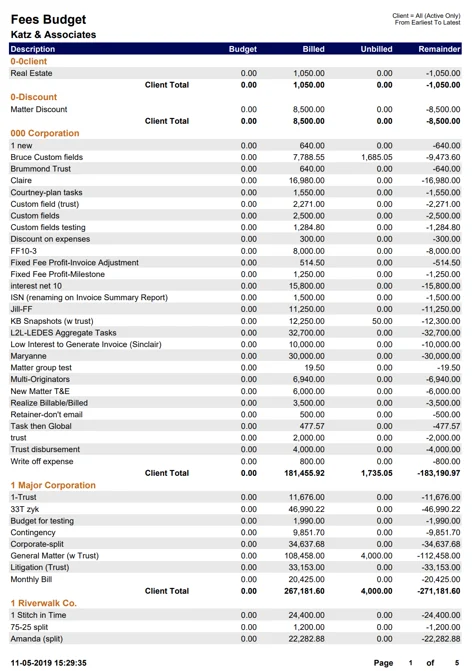
This report shows budgeted versus billed and unbilled fees grouped by Client and Matter.
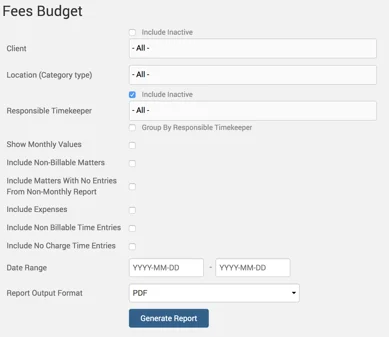
Example of Fees Budget report with default parameters selected:
Client Ranking Report
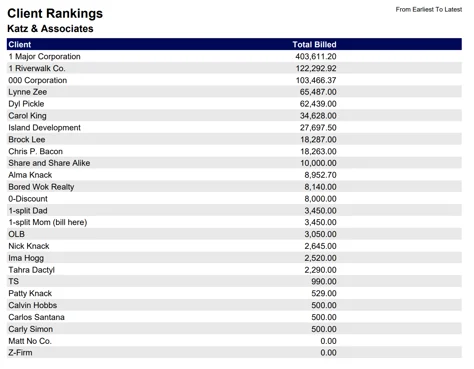
Ranking of clients by total fees worked, billed, and cash receipts.
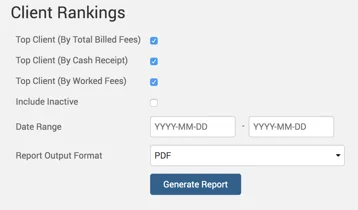
Example Client Rankings report with default parameters selected:
Professional Profitability Report
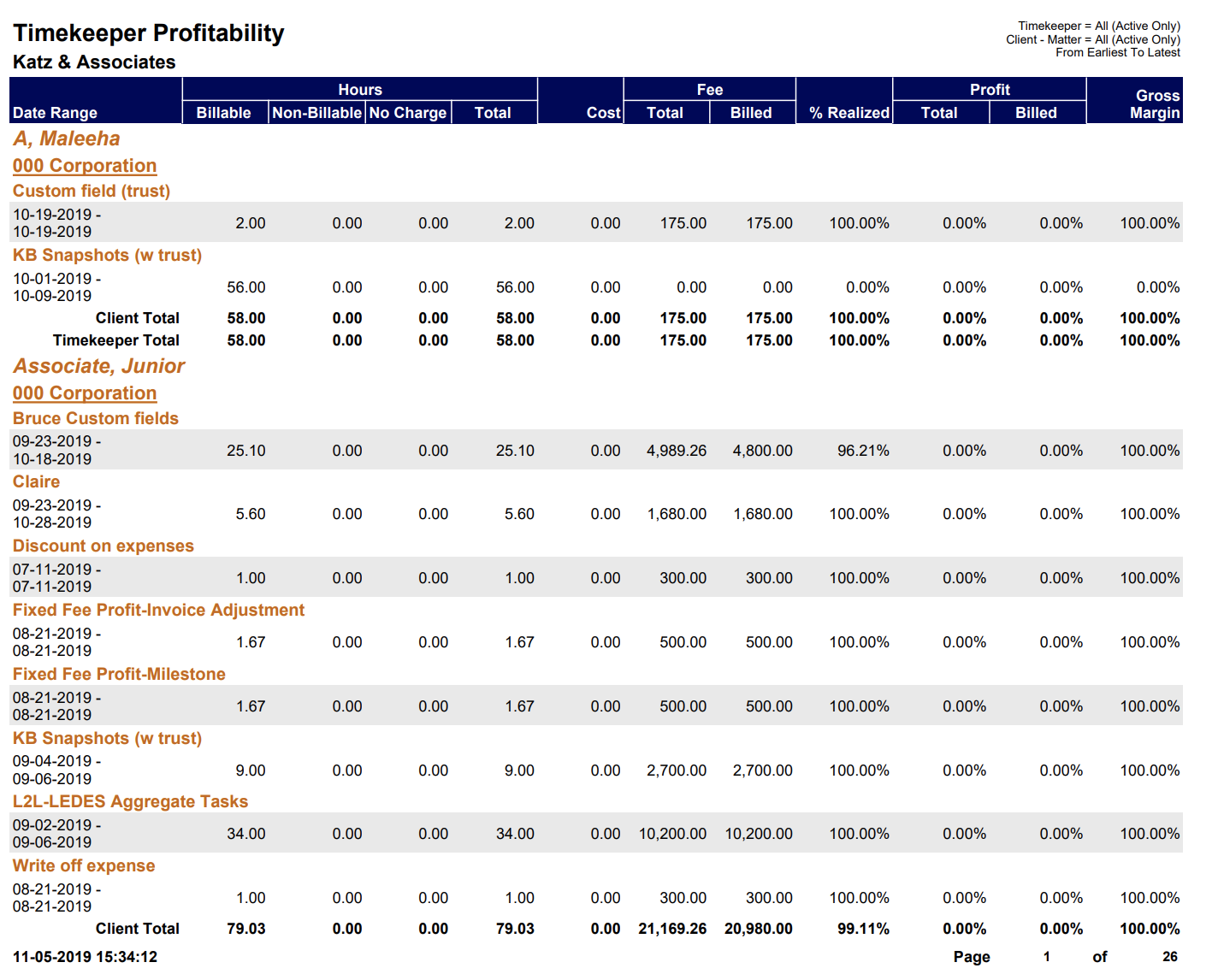
The report shows profitability per Professional based on billed versus original fees.
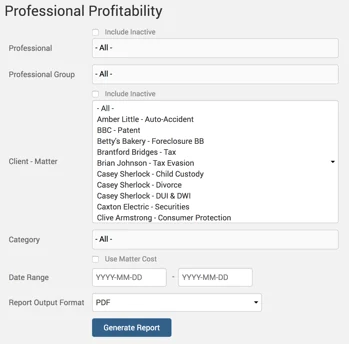
Example Professional Profitability report with default parameters selected:
Revenue and Commissions Report
Note: Commissions are only visible to Administrator users.
Revenue collected per Professional, Manager, and per Responsible Professional.
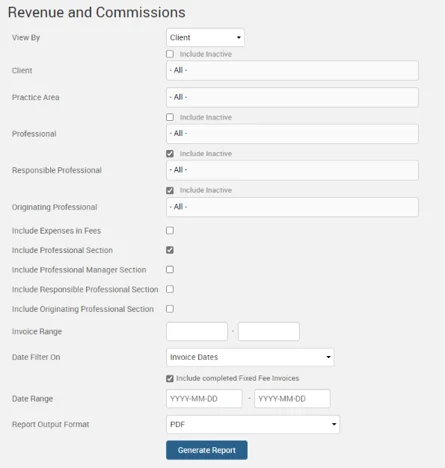
If a Firm has multiple locations and uses Timekeeper Subgroup to store the Timekeeper’s location, the Revenue and Commissions Report can be grouped by the Subgroup in the CSV version of the report.
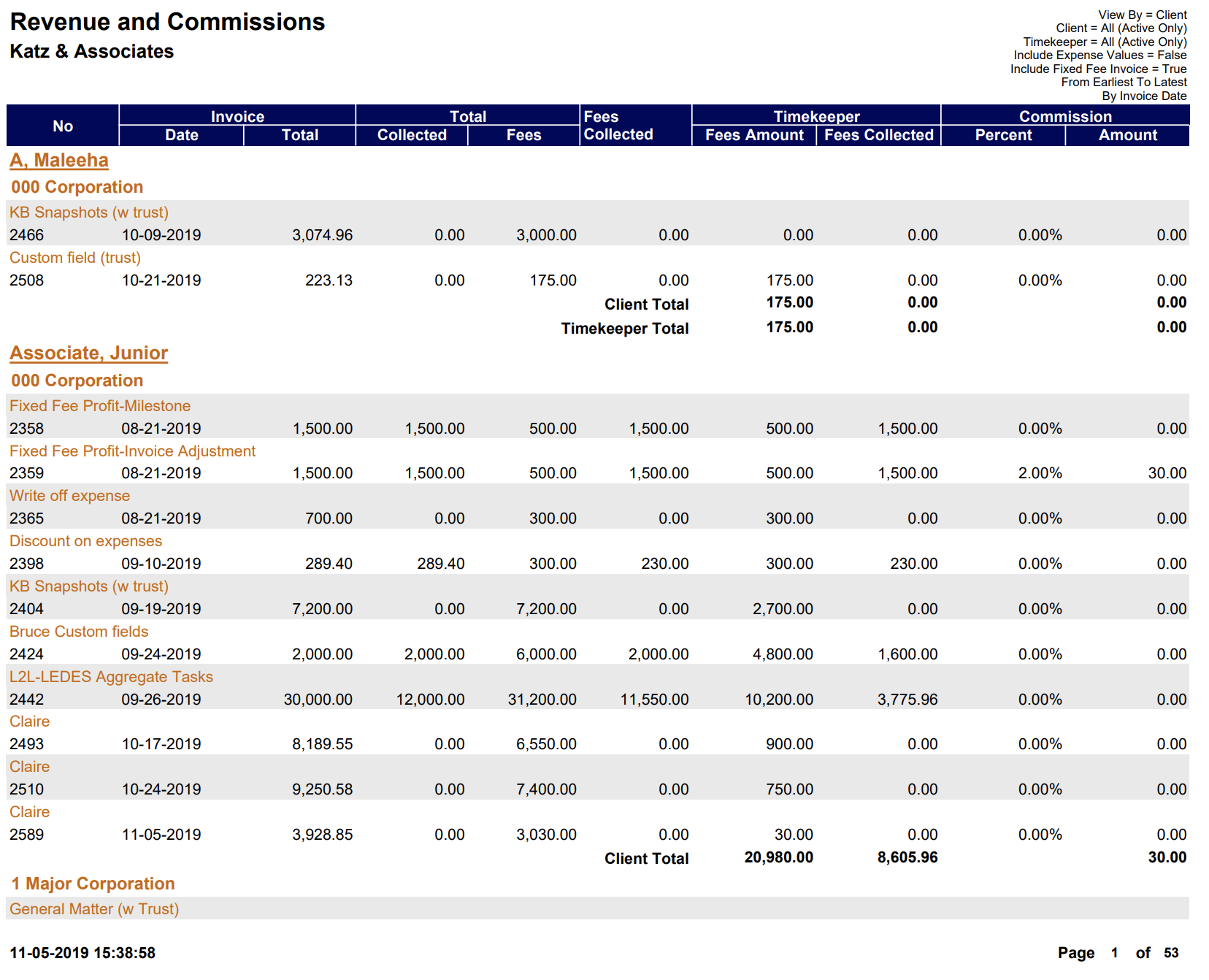
Below is an example of the Revenue and Commissions report’s PDF version with default parameters selected: