Accounting Reports
Run the Accounts Receivable report for outstanding amounts and the Ledger Entries report for a client's payments and invoices, with date notes.
The Client label may be displayed as Client, Customer, or Respondent depending on your TimeSolv Configuration in Clients>Settings>General. This can change path and report terminology.
Category and Sub Category may display differently depending on the labels specified under Clients>Settings>Categories.
Accounts Receivable Report
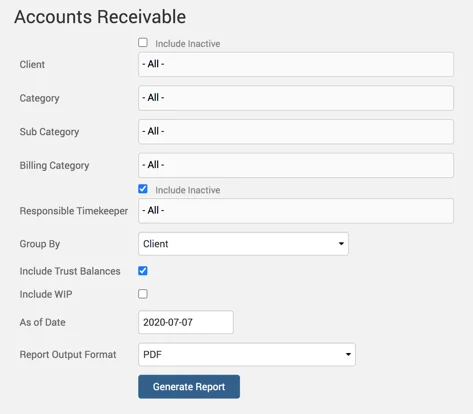
Accounts receivables report.
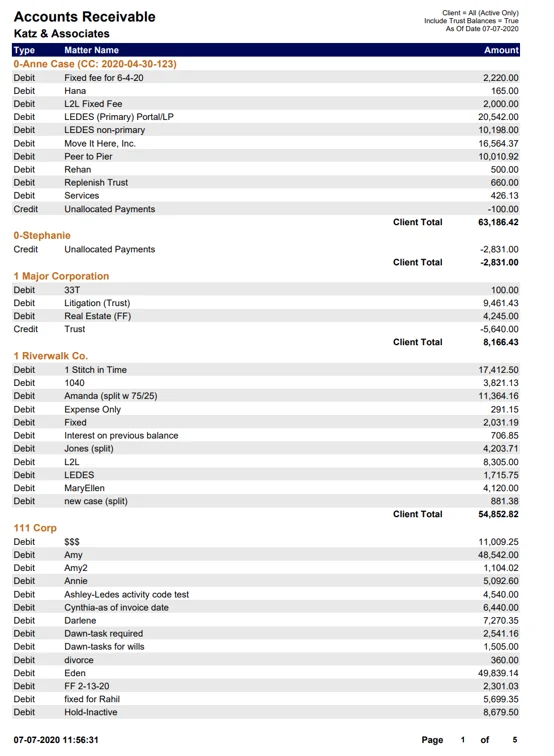
An example of the Accounts Receivable report with generated default parameters selected:
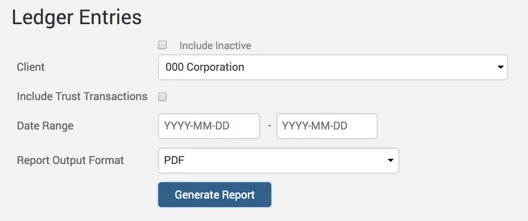
Ledger Entries Report
A list of payments and invoices for a Client.
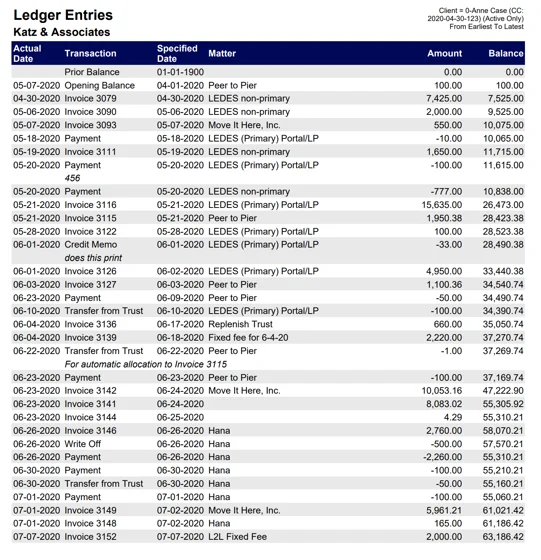
An example of the Ledger Entries report generated with default parameters selected:
Note: The ‘Actual Date’ is the day you enter the payment, and the ‘Specified Date’ would be when the deposit was made.