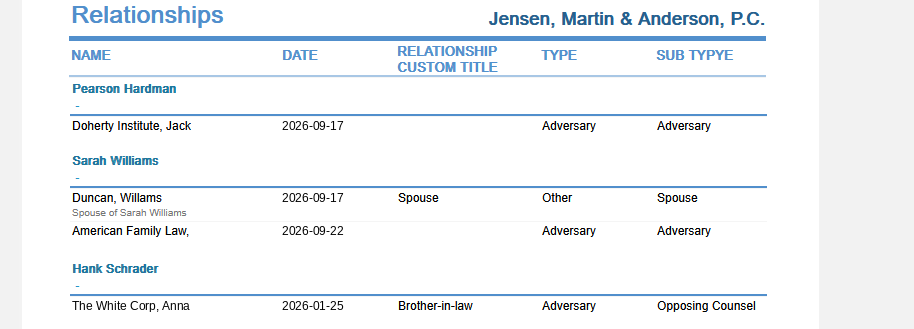
Relationships
List relationships for clients or client-matters, filtered by company or name, related party type and sub type, and date range, with optional notes.
The Client label may be displayed as Client, Customer, or Respondent depending on your TimeSolv Configuration in Clients>Settings>General. This can change path and report terminology.
Generate a list of relationships for clients and matters.
To access the Report, select Reports>Managing the Firm>Relationships.
The toggle button should be turned on in the last column; otherwise, the link will open the standard report.
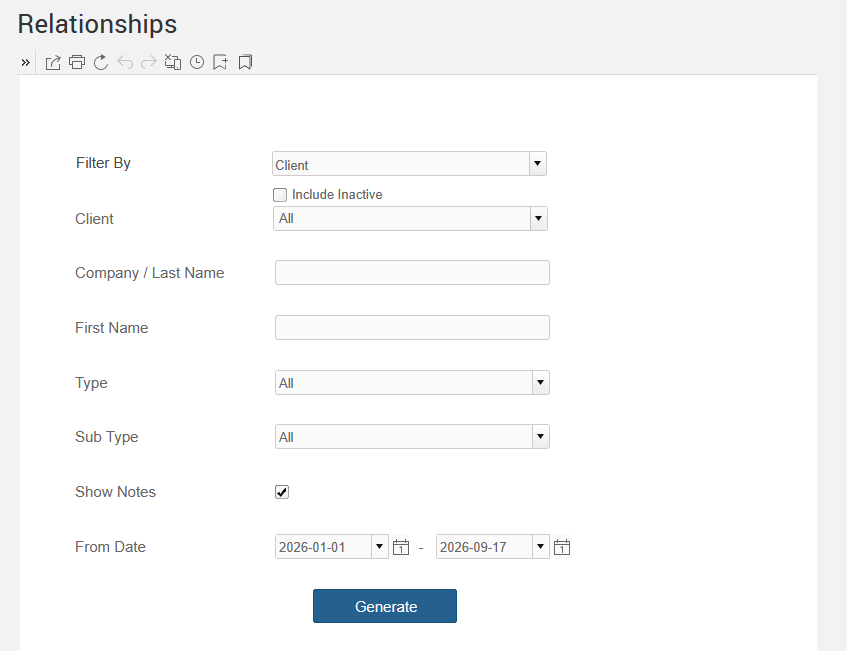
To generate the report, select the appropriate parameters:
- Filter by: Select Client or Client - Matter.
- Client: Select single or multiple clients. You can also use the ‘All’ to bring up the data for all the Firm’s clients.
- Company / Last Name: Optionally specify a company or last name to show only that entity.
- First Name: Optionally enter a first name to only show that entity.
- Type: Select a related party type.
- Sub Type: Select a related party sub type.
- Show Notes: If selected, the check box allows Notes to be displayed.
- From Date: Using the Calendar, select ‘From’ and ‘To’ to include the date range for the Report.