Activity Codes
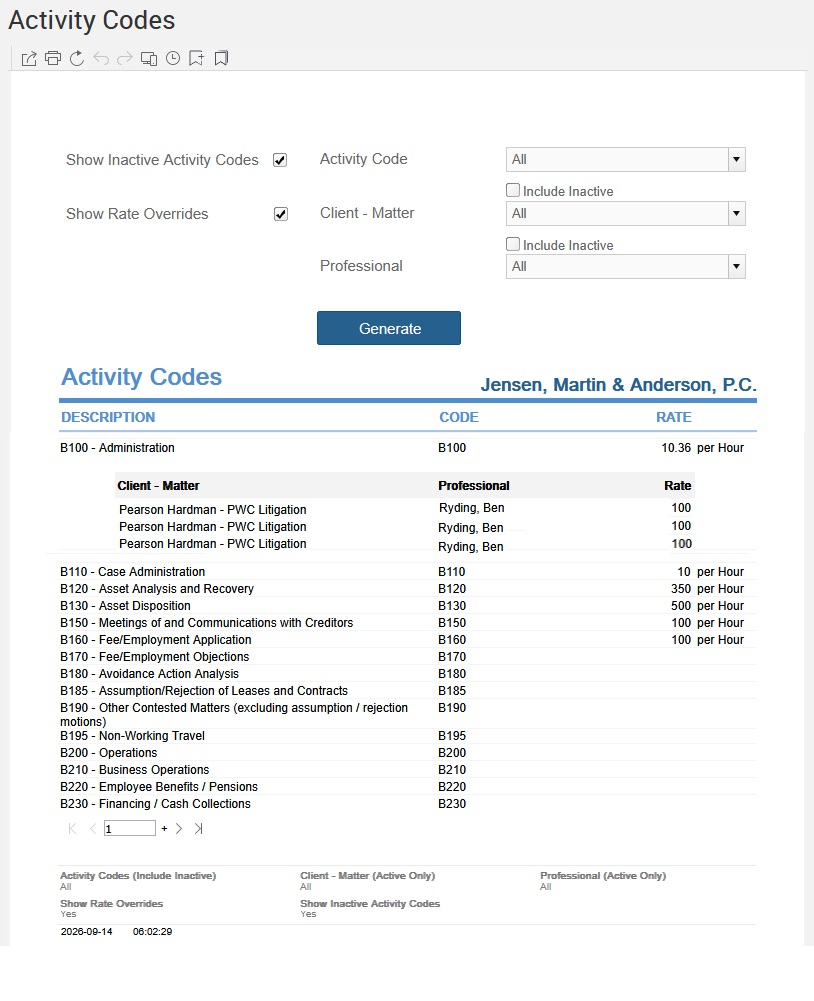
Generate a list of available activity codes with each code's rate and any optional rate overrides, from Reports > Managing the Firm > Activity Codes.
The Client label may be displayed as Client, Customer, or Respondent depending on your TimeSolv Configuration in Clients>Settings>General. This can change path and report terminology.
The Matter label may be displayed as Case, Engagement, Job, Matter, or Project depending on your TimeSolv Configuration in Clients>Settings>General. This can change path and report terminology.
The Professional label may be displayed as Associate, Consultant, Employee, Fee Earner, Professional, Resource, Staff Member, and Timekeeper depending on your TimeSolv Configuration in Account>Settings>General. This can change path and report terminology.
Generate a list of available Activity Codes with the Code, Rate and optional Rate Overrides.
To access the Report, select Reports>Managing the Firm>Activity Codes.
The toggle button should be turned on in the last column; otherwise, the link will open the standard report.