TimeSolvPay Setup
Sign up for TimeSolvPay with your TimeSolv login, link a bank account, and learn how transaction settlement and gross funding work.
Sign up for TimeSolvPay
Users can access the TimeSolvPay Portal from within TimeSolv. Existing TimeSolv users do not need to create additional login credentials, as TimeSolv login credentials can be used to log in to the TimeSolvPay portal.
To sign up for TimeSolvPay, click on TimeSolvPay>Settings tab.
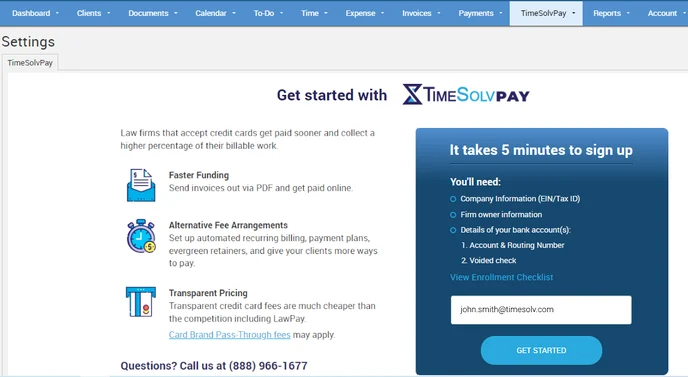
Click on the GET STARTED button.
Once the enrollment is initialized, several details must be provided before submitting your application.
First off, fill in your business details.
Fill in Payment details (how your business accepts payments).
Fill in the principal signer information (to whom the deposits are sent), including operating and Trust account details.
Review your application and click Submit.
After you have submitted your application, the firm must wait for approval. While the Operating account will now be visible in TimeSolv, the Trust account will only be visible once the application is approved.
Close the registration window and click on ‘Refresh.’ Once the application is approved, the ‘Status’ will appear as ‘Active.’
Link TimeSolvPay to a Bank Account
Once your application status is approved and ‘Active‘, a ‘Link‘ button will appear next to it. Click on it to link up your bank account.
Click on Clients>Settings, scroll to the bottom of the screen, and check if your linked bank account shows under the ‘Operating Bank Account’ field.
Transaction Settlement
Your transactions will automatically batch out at 8:00 pm EST every day. There is no action you need to take to settle your batch each day.
Once your batch is settled, if you signed up for TimeSolvPay on September 24, 2026 or later, the deposits will fund your bank account on the next business day for both credit card transactions and ACH transactions.
If you signed up for TimeSolvPay prior to September 24, 2026, the deposits will fund your bank account on the next business day for credit card transactions and five business days for ACH transactions.
For example:
If you signed up for TimeSolvPay September 24, 2026 or later
Credit Card and ACH Transactions settled by 8:00 pm EST on:
- Monday will be funded on Tuesday
- Tuesday will be funded on Wednesday
- Wednesday will be funded on Thursday
- Thursday will be funded on Friday
- Friday will be funded on Monday
- Saturday and Sunday will be funded on Tuesday
If you signed up for TimeSolvPay prior to September 24, 2026
Credit Card Transactions settled by 8:00 pm EST on:
- Monday will be funded on Tuesday
- Tuesday will be funded on Wednesday
- Wednesday will be funded on Thursday
- Thursday will be funded on Friday
- Friday will be funded on Monday
- Saturday and Sunday will be funded on Tuesday
ACH Transactions settled by 8:00 pm EST on:
- Monday will be funded on the following Monday
- Tuesday will be funded on the following Tuesday
- Wednesday will be funded on the following Wednesday
- Thursday will be funded on the following Thursday
- Friday will be funded on the following Friday
- Saturday and Sunday will be funded on the following Friday
Note: Bank holidays will increase the funding times*
Deposits are funded to your bank account, and processing fees are debited shortly after.
Gross Funding
Your account has automatically been boarded to receive gross deposits. Gross funding is when the deposits in your bank account match your daily batch totals.
For example, if you ran $1,000 in transactions in a single day, and your fees totaled $29, you would see a single deposit of $1,000 to your bank account, followed by a single debit of $29. The net amount would then total $971.
This makes reconciliation much simpler within your bookkeeping system of choice.
Transactions taken by 8:00 pm EST each day will be funded to your bank account within 48 business hours for credit card and ACH transactions.